Diode vs CO2 Laser Engraver: Which Should a Beginner Buy?
Diode or CO2 laser for your first engraver? A neutral, material-by-material comparison (wood, leather, clear acrylic, glass, metal) built from makers' specs.
DisclosureWe may earn a commission when you buy through links on this site, at no extra cost to you. As an Amazon Associate we earn from qualifying purchases.
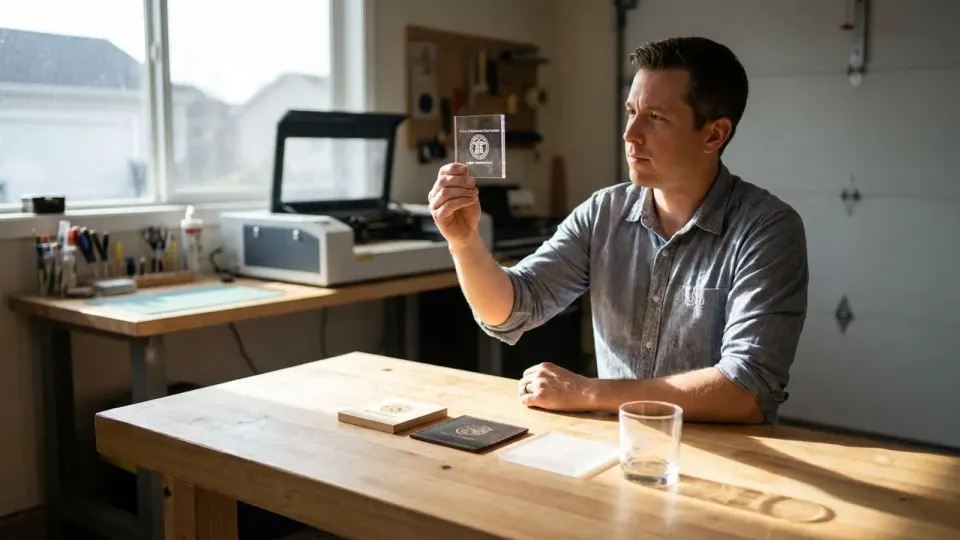
For most beginners who want to engrave and cut wood, leather, cardboard and dark or coated materials at home, a diode laser is the better first buy: it’s smaller, needs no water cooling, and enclosed Class 1 models exist. Choose a CO2 laser if your projects are clear acrylic or glass. Blue diode light passes through clear and blue acrylic instead of cutting it (per xTool), and makers say diode lasers need a coating to mark glass. Neither type marks bare metal well. For that you need a fiber laser or an infrared (IR) module.
Ready to shop already? Our best enclosed laser engravers for home use covers both types.
The short difference
| Diode laser | Desktop CO2 laser | |
|---|---|---|
| Wavelength | About 455 nm (blue light), per xTool and Creality | About 10.6 µm (Monport lists 10,640 nm for its 40 W tube) |
| How the light is made | Semiconductor laser modules, often several combined | Gas-filled glass tube |
| Cooling | Air (fans) | Water. Monport’s 40 W Pro ships with a small pump; a chiller is optional |
| Typical home footprint | Open frames are light; enclosed machines are desk- or bench-sized | Bulky cabinet (Monport 40W Pro: 31.4 x 19.7 x 10 in) |
| Enclosure | Open-frame or fully enclosed (some Class 1) | Usually a closed cabinet |
| Fumes | Must be vented or filtered | Must be vented or filtered |
Material by material
This is the table we couldn’t find on any page that doesn’t sell just one type. It reflects what the makers themselves say.
| Material | Diode (blue, ~455 nm) | CO2 (~10.6 µm) | Source |
|---|---|---|---|
| Wood, plywood, MDF | Engraves and cuts thin sheets | Engraves and cuts | xTool, WeCreat, Monport material guides |
| Leather (real, vegetable-tanned) | Yes | Yes | xTool material list |
| Clear or blue acrylic | Can’t cut it: blue light passes through | Cuts and engraves cleanly | xTool “What plastics can be cut” guide |
| Dark or opaque acrylic | Yes (xTool names only clear and blue as off-limits for blue lasers) | Yes | xTool plastics guide |
| Glass | Needs a coating or mask first | Can etch glass | Vendor diode vs CO2 guides (xTool, Creality Falcon) |
| Coated metal (e.g. powder-coated tumblers) | Commonly used to remove the coating; check your model’s material list | Check your model’s material list | Maker material lists |
| Bare metal | Low absorption; IR module or fiber laser needed | Low absorption; not suited | xTool Material Processing Guide |
| PVC, vinyl, ABS | Never, on either type | Never, on either type | xTool plastics safety guide |
Laser power: optical output vs electrical input
Watt numbers on laser engravers aren’t always measured the same way, so check which one you’re reading.
- Optical output is the laser light that actually reaches the material. Creality lists the Falcon2 22W at 22 W optical power and 120 W machine power (max). The 120 W is what the machine draws from the wall, not laser power.
- Laser power without a qualifier is what xTool and WeCreat list. xTool’s S1 spec table says “laser power 20 W / 40 W”, and its safety SOP calls these the maximum laser power at 455 nm. WeCreat’s safety document lists the Vision at a maximum of 20 W.
- CO2 tube ratings are listed by Monport as “output power 40 W”. Monport’s tube page also gives the tube a ±5% power stability and an expected life of about 2,000 hours at lower power, falling to roughly 400 to 600 hours at 70 to 100% power.
Don’t compare a diode’s watts directly with a CO2 tube’s watts. The two wavelengths behave very differently in each material, which is the point of the table above.
Safety and where you can run it
Eye protection. An open-frame diode laser is a Class 4 laser product. Creality lists the open-frame Falcon2 22W as Class IV (FDA). You need safety glasses rated for its wavelength, and anyone else in the room needs them too. An enclosed Class 1 machine, like the xTool S1, WeCreat Vision or Falcon2 Pro, keeps the beam inside during normal use. xTool’s S1 SOP says goggles aren’t needed under Class 1 conditions. It also warns that “Class 1” describes the finished product, not the laser inside, which is still powerful.
Fumes. Both types burn material, so both make smoke. OSHA’s laser hazards guidance treats laser-generated air contaminants as a hazard of their own and points to local exhaust ventilation. Plan for a duct to a window or a laser-rated purifier before you buy. See laser engraver fumes at home: enclosure, exhaust or air purifier?.
Fire. Never leave any laser running unattended. xTool’s S1 has flame detection, but no detector replaces you watching the job.
CO2 extras. A glass tube needs water cooling, and Monport recommends distilled water. A CO2 cabinet is heavy and long, so measure your bench and doorways first.
Three example machines
These are examples of each type, not ranked picks. For rankings, see the enclosed laser roundup.
Enclosed diode: xTool S1
xTool S1 Enclosed Diode Laser (20W / 40W)
An enclosed blue diode laser that xTool rates as a Class 1 laser product, with a lid-open stop, flame detection, a key switch and a rear exhaust port for ducting outdoors or into a purifier.
- Laser type
- Blue diode, 455 nm, continuous wave (xTool S1 laser safety SOP)
- Laser power
- 20 W or 40 W, as listed by xTool ("laser power" in the spec table; the SOP lists these as maximum laser power)
- Laser class
- Class 1 laser product as sold (xTool). Used with the riser base and conveyor feeder it works as a Class 4 laser, per xTool.
A Class 1 enclosed diode with a 498 x 319 mm area (40 W version), flame detection, an emergency stop and a rear exhaust port, per xTool. It’s the “set up in a spare room” option, as long as you can vent the fumes.
Open-frame diode: Creality Falcon2 22W
Creality Falcon2 22W Open-Frame Laser
An open-frame diode laser with 22 W optical output and a 400 x 415 mm area. Creality rates it Class IV, so it needs wavelength-rated safety glasses and, at home, an enclosure.
- Laser type
- Diode, 455 ± 5 nm
- Optical power
- 22 W
- Machine power (electrical, max)
- 120 W
22 W optical output, 400 x 415 mm area, Class IV per Creality. It’s lighter and cheaper to get into than an enclosed machine, but open-frame means safety glasses for everyone in the room, a fire-safe surface and your own fume solution. For a home with kids or pets, we’d pick an enclosed machine instead.
Desktop CO2: Monport 40W Pro
Monport 40W Pro Desktop CO2 Laser (K40)
An entry-level desktop CO2 laser in a closed metal cabinet, with a 40 W glass tube, water pump, built-in fan and a 4-inch exhaust port for venting outdoors. Monport does not advertise it as a Class 1 product.
- Laser type
- CO2, borosilicate glass tube, 10,640 nm (Monport 40W tube page)
- Output power
- 40 W (listed by Monport as "Output Power")
- Working area
- 8 x 12 in (200 x 300 mm)
A K40-style cabinet with a 40 W glass tube, 8 x 12 in working area and a 4-inch exhaust port, per Monport. It’s the entry point if you mainly want clear acrylic signs or glassware. Monport doesn’t advertise it as a Class 1 product, so read its manual on lid use and eyewear before you run it.
Which one should you buy?
- Buy a diode laser if you mainly work with wood, leather, cardboard, slate, dark acrylic and coated tumblers, want a smaller machine, and prefer no water loop.
- Buy a CO2 laser if clear acrylic or glass is the core of what you want to make, and you have the bench space and a window to vent through.
- Want bare metal? Neither one. Look at a diode machine with an IR module (xTool sells one for the S1) or a fiber laser.
Either way, put the safety budget in from day one: an enclosure if your machine is open-frame, and an exhaust or purifier. Compare enclosed models in our best enclosed laser engraver guide. Not sure lasers are for you? Many beginners start with an FDM 3D printer instead. See our best 3D printers for teens and kids.
FAQ
Can a diode laser engrave glass? Not bare clear glass the way a CO2 laser can. Makers’ guides say you need to coat or mask the glass first (for example with paint or a marking product) when using a diode laser.
Can a diode laser cut acrylic? Dark and opaque acrylic, yes. Clear and blue acrylic, no: xTool says blue lasers can’t cut them, and you need a CO2 laser for those.
Is a CO2 laser harder for a beginner? It has more to look after: a water-cooled glass tube, tube replacement over time (Monport estimates about 2,000 hours at lower power) and a bigger cabinet. Many beginners find a diode easier to start with.
Is a 40 W diode the same as a 40 W CO2 laser? No. They run at very different wavelengths, so the same wattage behaves differently on each material. Also check whether a number is optical output or electrical input. Creality, for example, lists both.
Do I need safety glasses with an enclosed laser? Not for normal use of a Class 1 machine with the lid closed, according to xTool’s S1 SOP. You do need wavelength-rated glasses for any open-frame diode, and whenever an enclosed machine is run in a mode its maker rates as Class 4.
Sources
- xTool Support: S1 User Guide and S1 LSO Training / SOP (support.xtool.com/article/1106, /article/1261)
- xTool Support: Safety Guide, What Plastics Can Be Cut or Engraved? (support.xtool.com/article/870)
- xTool Support: Material Processing Guide (support.xtool.com/article/1963)
- Creality: Falcon2 22W specifications and Falcon2 Pro tech parameters (store.creality.com)
- WeCreat: Vision product page and Laser Safety Program (wecreat.com)
- Monport: 40W Pro product page, 40W laser tube page, K40 Q&A (monportlaser.com)
- OSHA: Laser Hazards (osha.gov/laser-hazards)